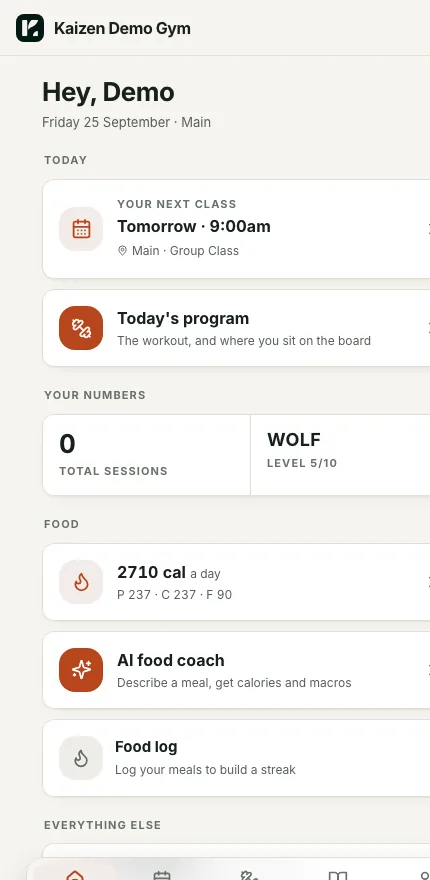
Kaizen Gym OS runs your bookings, your programming, your nutrition, your weekly billing and your retention in one app, and your members see all of it under your gym's name.
Most gyms pay for four apps and still do the joining up themselves.
You end up with one app for bookings, one for programming, one for nutrition and one for billing, and none of them know the others exist.
01
Why are you paying for four apps that don't talk to each other?
Every one of them has its own login, its own bill and its own copy of your member list. You are the one copying names between them, and it is the first thing that slips when you get busy.
02
Why does your software hold your members' debits?
With most platforms the money goes through their account first and lands in yours days later. With Gym OS the debits run on your own Stripe account, so the money is yours the moment it clears and you can leave whenever you want to.
03
Why do you find out a member quit when their debit bounces?
People stop turning up weeks before they cancel, and by the time the payment fails the decision is already made. The retention board watches attendance and puts those names in front of your coaches while there is still time to have the conversation.
04
Why are you paying card fees on weekly billing?
A weekly debit gets charged 52 times a year, so the fixed part of a card fee adds up faster than it does on a monthly one. Gym OS runs bank debits through Stripe, which costs you less on every single payment.
What's in it
Here is everything your members and your coaches get.
Every screen below is the real app, running on our demo gym.
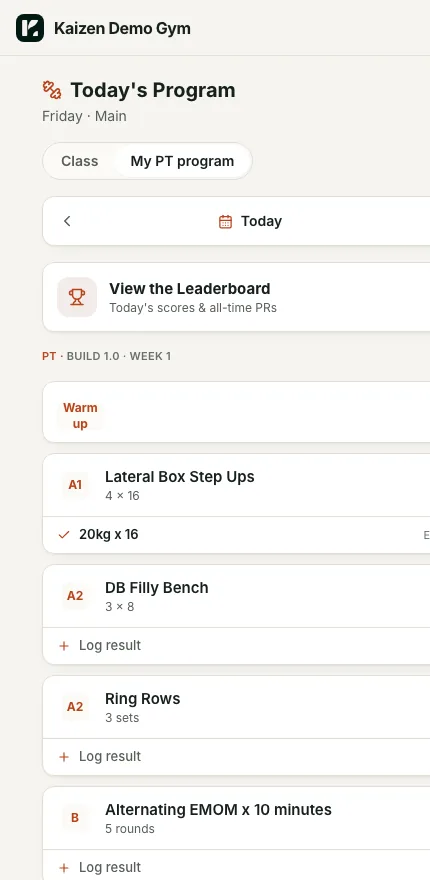
Programming
You write the week once and every member sees their session.
Group classes and PT programs sit side by side in the app, and members log their results against each movement so you can see who did what.
Demo gym shown
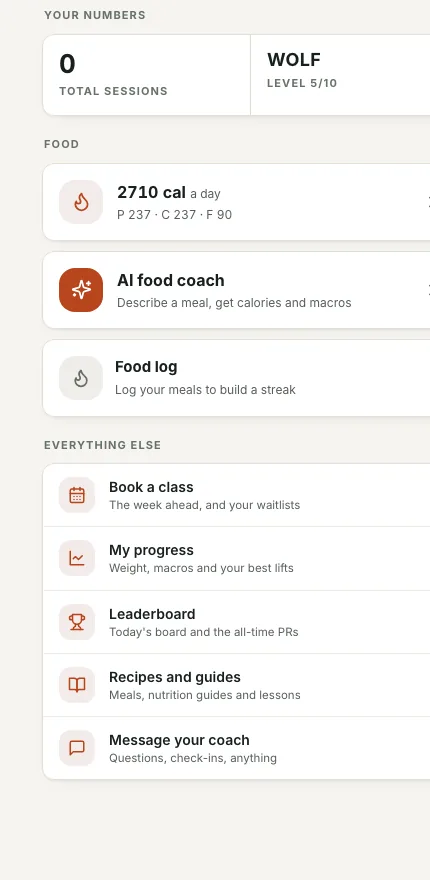
Nutrition
Every member gets their calories and macros without a second app.
They log meals, keep a streak going, and can describe a meal to the AI food coach and get the calories and macros back.
Demo gym shown
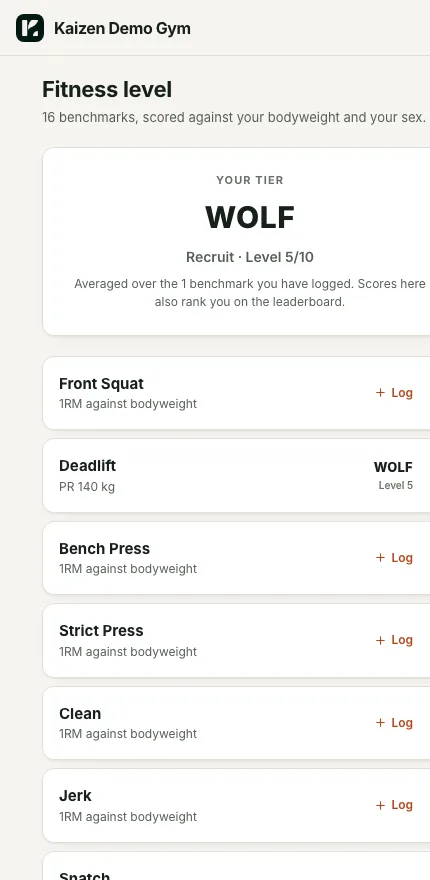
Levels and leaderboard
Members earn a level from their benchmarks and see where they sit.
Sixteen benchmarks are scored against bodyweight and sex, so a 60kg member and a 100kg member are competing fairly on the same board.
Demo gym shown
Weekly billing on your own Stripe
The money lands in your Stripe account, not in ours.
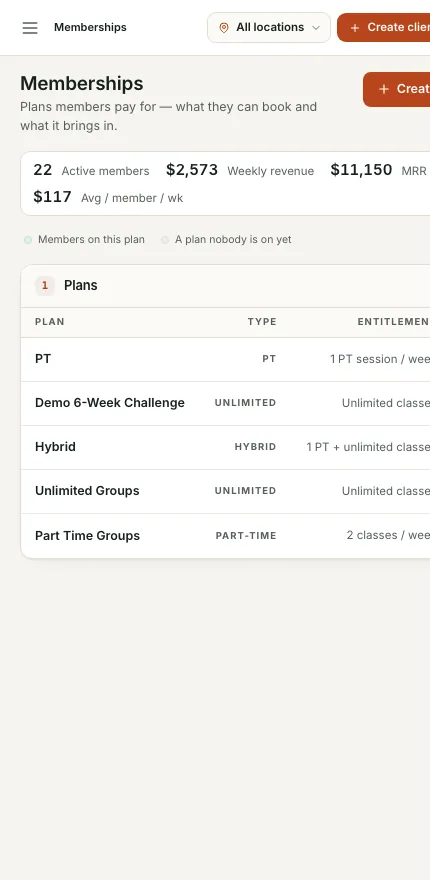
Your plans, your active members and your weekly revenue sit on one screen, and every debit runs through the Stripe account you own.
Demo gym shown
Member app with your name on it
Your members open an app with your gym's name on it.
It has their next class, today's program, their numbers and a direct line to their coach, and it looks like yours rather than like a platform.
Demo gym shown
Retention board for coaches
Your coaches see who to message before anyone quits.
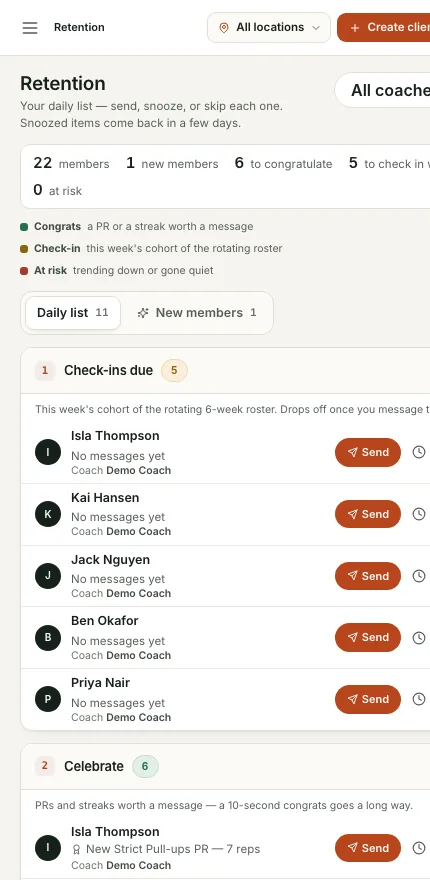
Every day they get a list of who to congratulate, who to check in with and who has gone quiet, and they send the message from the same screen.
Demo gym shown
Fees
A bank debit costs less than a card, and the difference stays with you.
Gym OS runs weekly debits through Stripe on your own account, and Stripe charges less for a bank debit than it does for a card.
Card1.7% + 30cOn every payment
Bank debit1% + 30cCapped at $3.50 a payment
On a $50 weekly debit, a card costs you $1.15 and a bank debit costs you $0.80. That is 35 cents back on every payment, which works out to about $1,820 a year in a 100-member gym.
These are Stripe's published Australian rates as of 25 September 2026, taken from Stripe's pricing page.
Switching
You send us your export, and you are live the next day.
Nobody wants to spend a month moving gym software, so we do the move for you and your members do not notice a thing.
1
You send us your export.
Send us your Wodify export, or the export from whatever you run now, and we take it from there.
2
We load it overnight.
Your members, your plans and your history are in Gym OS by the next day, with your name and logo already on the app.
3
Your current debits keep running.
Your members' existing debits keep going exactly as they are until you move each one across, so nobody's payment gets interrupted while you switch.
Who it's from
We built it out of running our own gyms.
Kaizen Gym OS comes from Kaizen Collective, the same team behind the Launchpad. Brando owns BBB, which is three gyms in Sydney, and every part of this was built to run those gyms first. Anything you see here has already been used on our own floor before it gets anywhere near yours.
Brando HasickOwner, BBB and Kaizen Collective
Get a beta spot
Run your whole gym on one app that is actually yours.
We are bringing gyms on a few at a time so each one gets set up properly. Leave your details and we will let you know when your spot is ready.