Add a gym in Settings
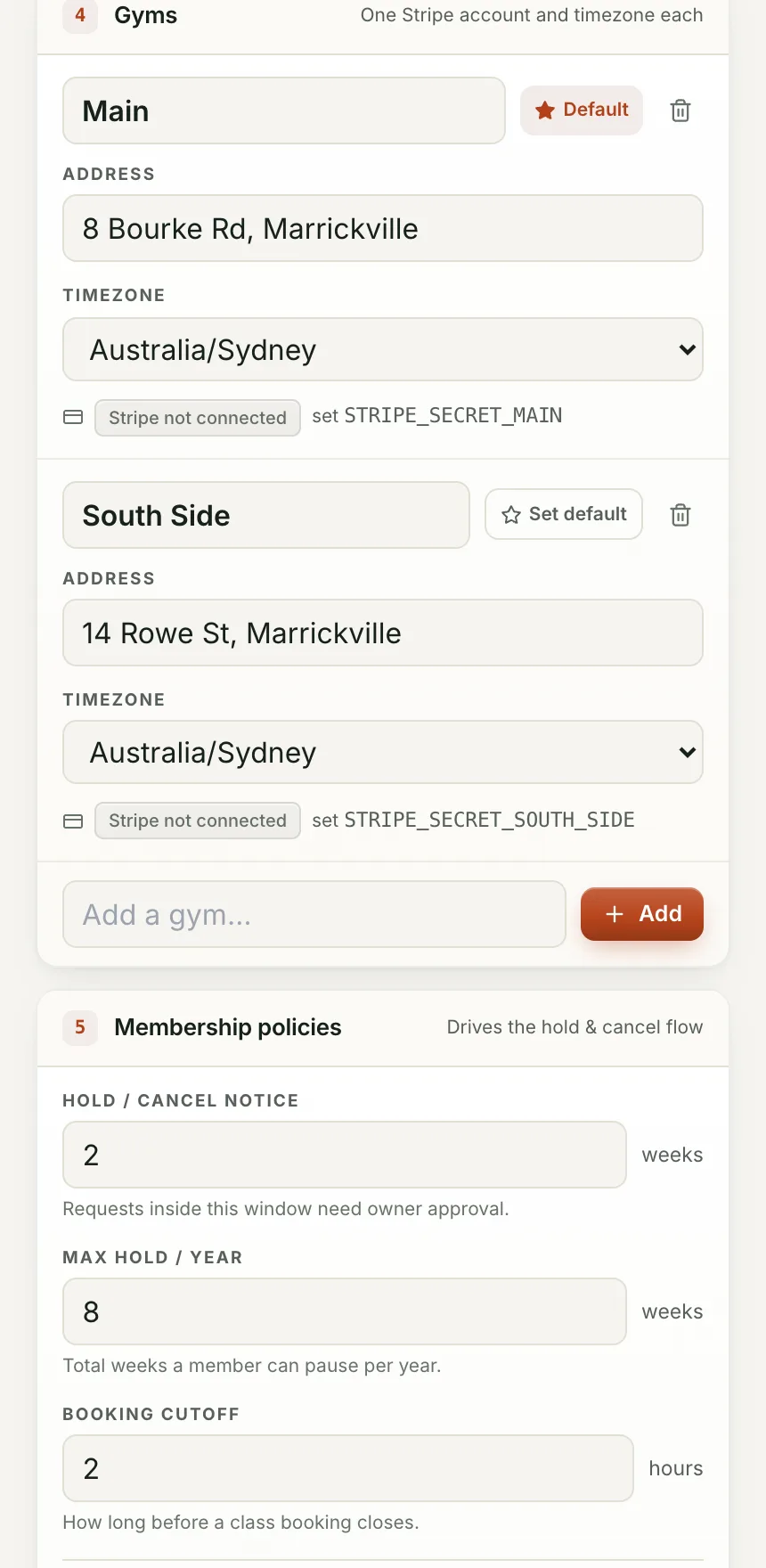
Name, address and timezone. Each location connects its own Stripe account, so its money settles to its own bank.
Add a second site from Settings and it gets its own address, timezone and Stripe connection. The same location picker then narrows classes, the kiosk, people, announcements and reports to one site or shows them all together. A single-site gym never sees any of this.
Name, address and timezone. Each location connects its own Stripe account, so its money settles to its own bank.
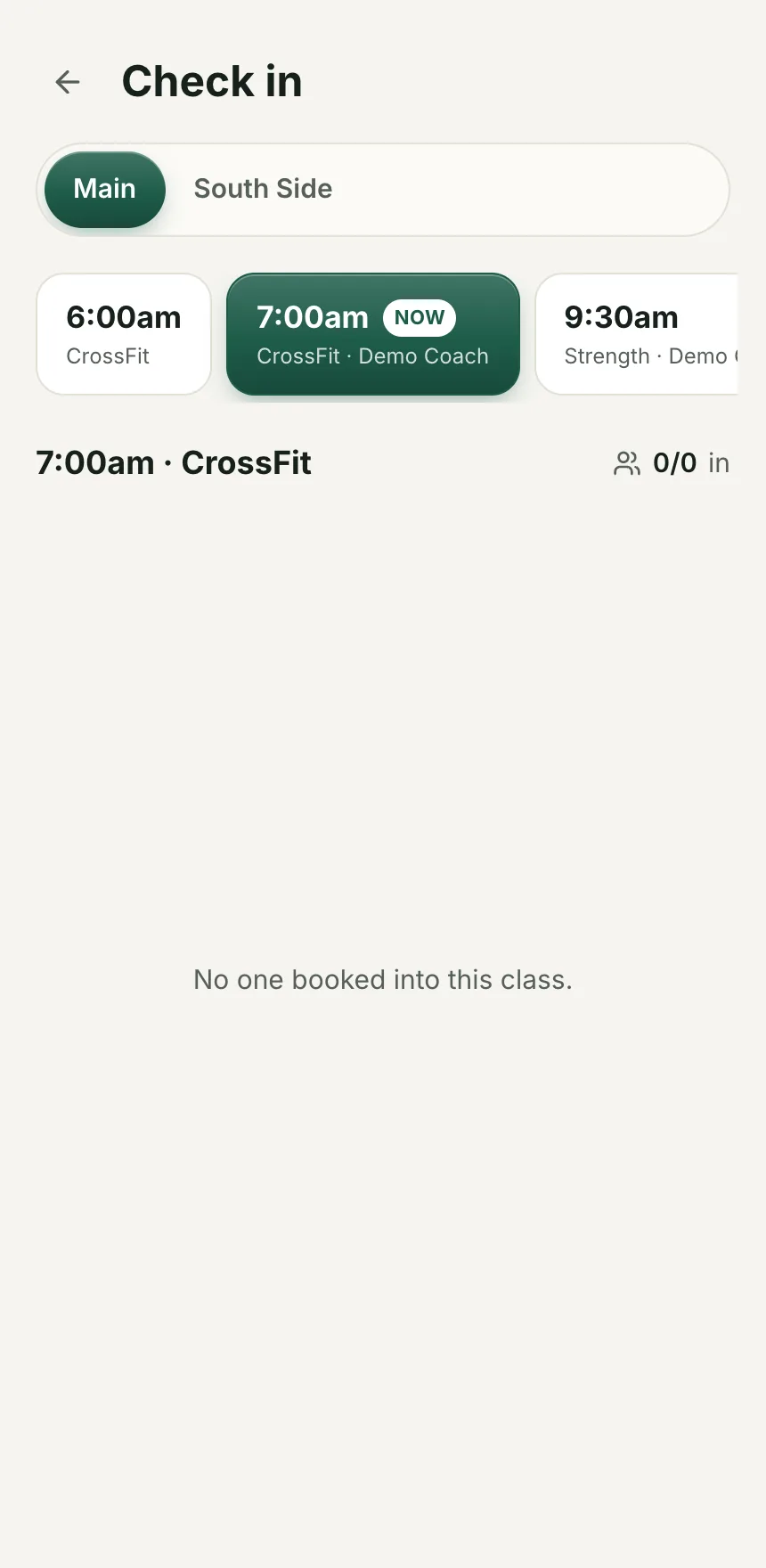
The same location control in the header narrows classes, the kiosk, people, announcements and reports to one site, or shows every site together.
With one location the picker and the location chips do not show at all. A single-site gym never sees a decision it does not have to make.
People shows which location each person is at, and the roster can be filtered the same way.
One field, in Settings, under Gyms.
Address, timezone, and its own Stripe connection when you are ready to take its payments.
Classes, kiosk, people, reports and analytics pick up the new location straight away.
Two gyms, one Kaizen Demo Gym account, seen from Settings and from the kiosk.
No separate login, no separate subscription, no separate roster per gym.
A single-site gym's screens look exactly as simple as before. The picker only earns its place with a second site.
Every location's Stripe connection is its own, same as it would be for a single gym.
Yes. Each gym connects its own Stripe account, so its money settles to its own bank, the same as a single-site gym.
Nothing changes. The location picker and the chips only appear once you add a second one.
We are bringing gyms on a few at a time so each one gets set up properly. Leave your details and we will let you know when your spot is ready.