Three roles, one roster
Owner, manager and coach live on the same People page. Promote or demote a staff member from a dropdown on their row, no separate invite flow to redo.
Owner, manager and coach sit on the same People page, with a role you set from a dropdown on their row. Financial, cash, reports, analytics, leads and requests stay behind an admin-only gate a coach never sees, while their own People and Retention views are scoped to their own clients.
Owner, manager and coach live on the same People page. Promote or demote a staff member from a dropdown on their row, no separate invite flow to redo.
Financial, cash, reports, analytics, leads and requests are hidden from a coach's own menu. Only owners and managers see them.
Their People and Retention views default to their own clients, not the whole gym's roster.
A staff member cannot change their own role, so an owner cannot accidentally demote themselves off their own account.
From People, Staff tab. They get a sign-in link by email, same as a member.
Coach by default. Promote to manager if they need the owner-side screens too.
A scoped People and Retention view, no separate login or app to manage.
The same account, two roles: the owner's full roster and a coach's own clients.
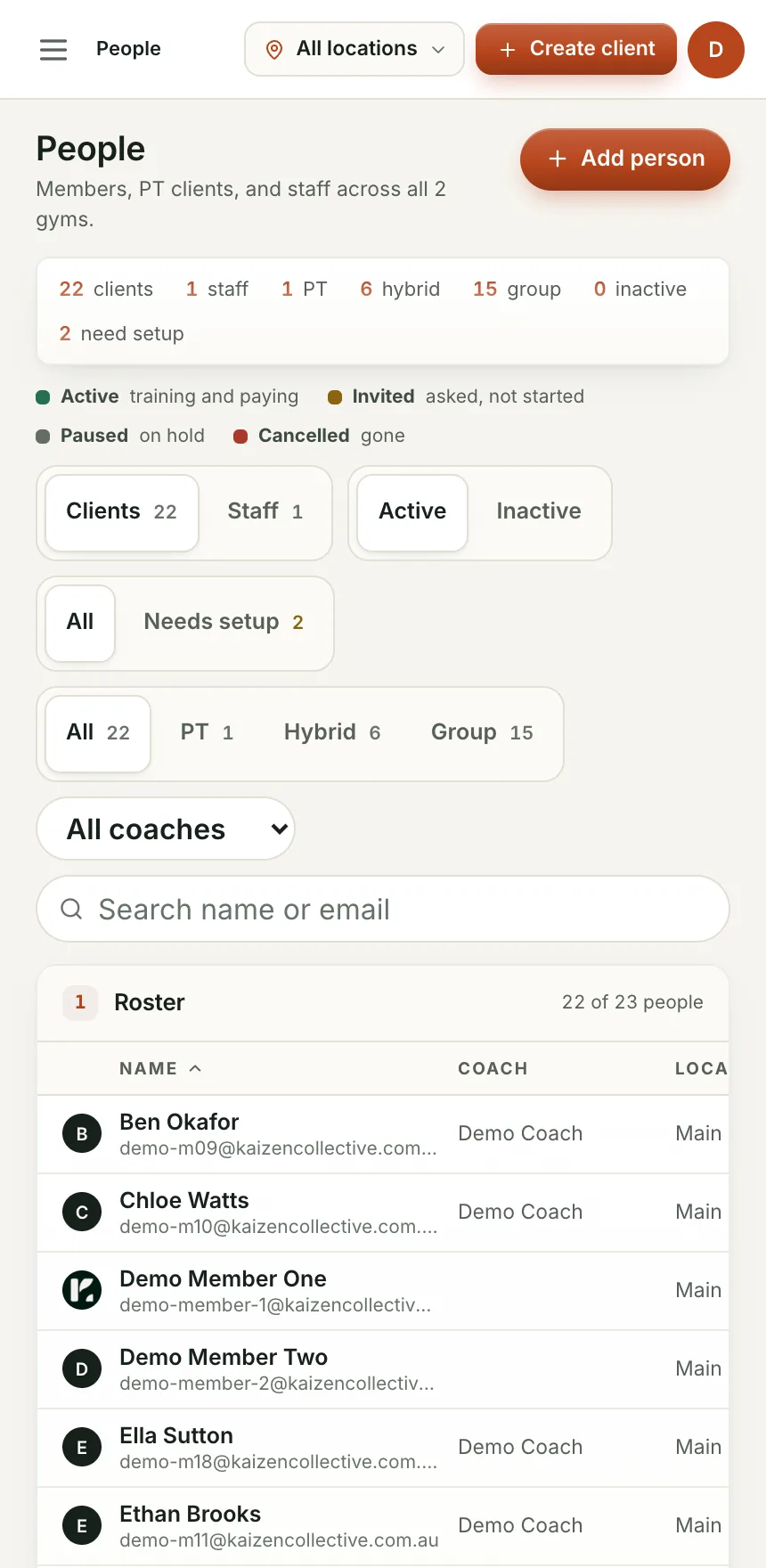
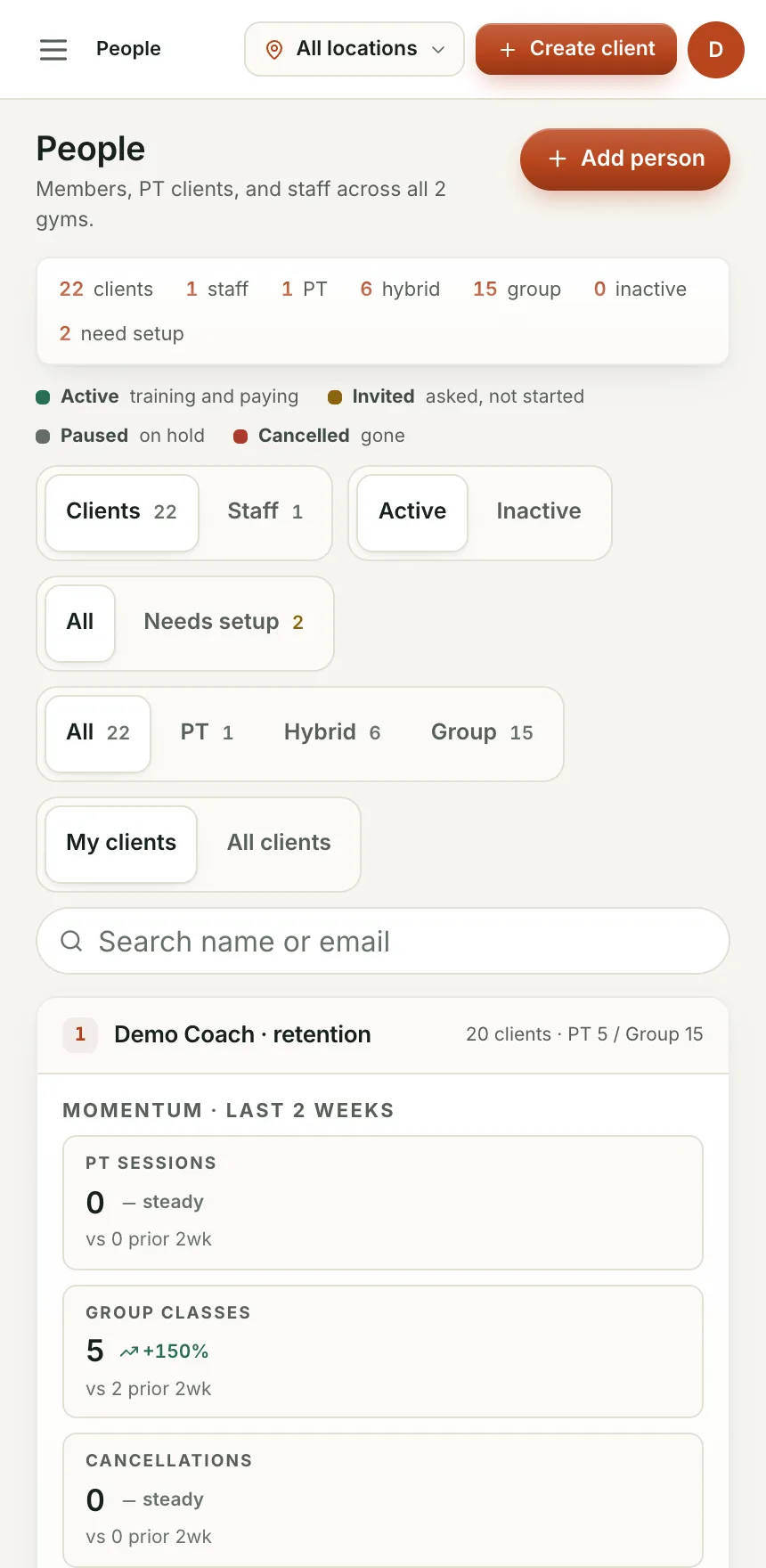
Financial, reports and leads stay behind the admin-only gate, wherever a coach is logged in from.
Just their clients, their retention list and their messages, not the whole gym's numbers.
No separate staff system to maintain alongside the member list.
By default a coach's People and Retention views show their own clients. Owners and managers see everyone.
Yes. Give a staff member the manager role and they get the same owner-side screens. Owner is really just the first manager on the account.
We are bringing gyms on a few at a time so each one gets set up properly. Leave your details and we will let you know when your spot is ready.